Building a Secure MCP Server and Client with Spring AI and Java 21
A two-application example that exposes narrow incident-management capabilities through MCP and consumes them safely from a Spring AI chat client.
- Author
- Abubakar Saifullah
- Published
- Published
- Updated
- Updated
- Reading time
- 15 minute read
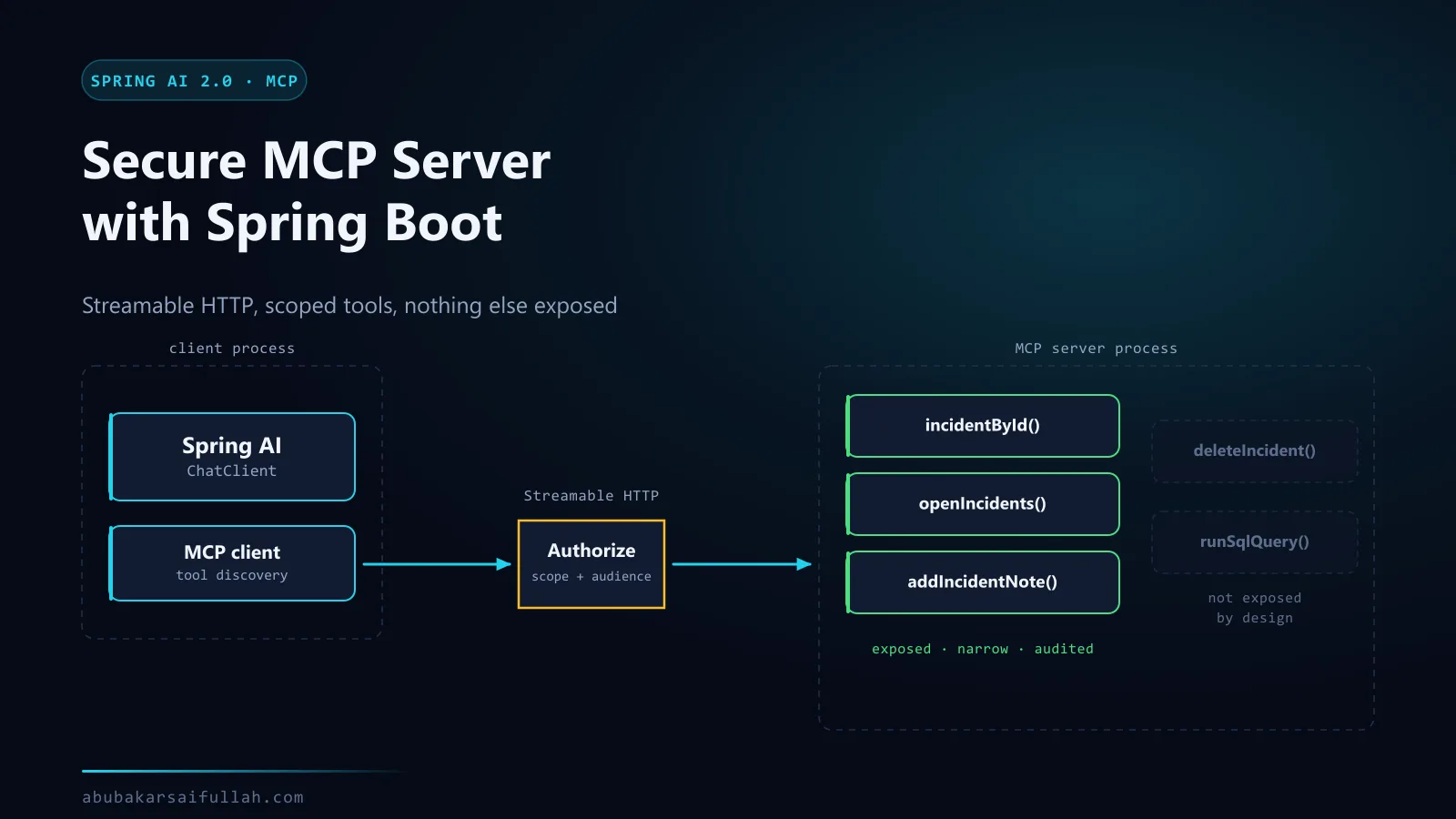
Model Context Protocol, or MCP, gives AI applications a standard way to discover and invoke tools, read resources, and use reusable prompts. It is most valuable when capabilities need to cross application boundaries. A ticket agent, IDE assistant, or operations assistant can consume the same incident tool without embedding a separate client library for every host.
Most MCP tutorials stop at "it works on my machine" — a server launched over STDIO as a subprocess of one desktop client, with no authentication because there is no network. That is a useful starting point and a poor model for anything you intend to deploy. This guide builds a secure MCP server with Spring Boot instead: reachable over Streamable HTTP, with an authorization boundary on the wire, a deliberately narrow tool surface, and an analysis of the prompt-injection and confused-deputy problems that appear the moment a model can reach your internal systems through a network.
This guide builds two Spring Boot applications:
incident-mcp-serverexposes read-only incident tools over Streamable HTTP.incident-assistant-clientdiscovers those tools and makes them available to a Spring AIChatClient.
The example deliberately avoids a generic SQL, URL, or shell tool. MCP standardises the interface; it does not remove the need for authorization, validation, least privilege, or audit logging.
MCP architecture and request flow
MCP separates the host application from the server that owns a capability.
- The client starts and connects to the configured MCP server.
- Client and server negotiate a protocol version and capabilities.
- The client discovers available tools and their JSON input schemas.
- The chat model receives the selected tool definitions with the user request.
- When the model requests a tool call, Spring AI invokes the MCP client.
- The MCP server validates the arguments and executes the Java method.
- The result returns through MCP to the chat client and then to the model.
- The model produces the final response for the user.
| Building block | Purpose | Example in this guide |
|---|---|---|
| Host | Application that coordinates the model and user interaction | Incident assistant REST API |
| MCP client | Discovers capabilities and sends protocol requests | Spring AI MCP client starter |
| MCP server | Owns and exposes a focused domain capability | Incident lookup service |
| Tool | Callable operation with a name, description, and input schema | find_incident |
| Resource | Addressable data exposed through a URI | runbook://incident-response |
| Transport | Moves JSON-RPC messages | Streamable HTTP at /mcp |
STDIO or Streamable HTTP?
If you have followed another MCP tutorial, it almost certainly used STDIO, and the difference matters enough to be explicit about before any code.
With STDIO, the client launches the server as a child process and they exchange JSON-RPC over standard input and output. There is no port, no network, and no authentication, because the operating system's process boundary is the security boundary. That is genuinely simple and it is why every getting-started guide uses it.
With Streamable HTTP, the server is a long-running HTTP service that any authorised client can reach. It has an address, so it needs authentication, authorisation, transport security, and rate limiting.
| STDIO | Streamable HTTP | |
|---|---|---|
| Server lifecycle | Started and stopped by one client | Runs independently |
| Clients per server | Exactly one | Many, concurrently |
| Reachable from | The same machine only | Anywhere the network allows |
| Authentication | None — process boundary is the boundary | Required |
| Deployment | Ships with the client | An ordinary service you operate |
| Observability | Whatever the client surfaces | Normal application logs and metrics |
| Right when | Local developer tooling, desktop assistants | Shared capability, multiple clients, real deployment |
STDIO is not a lesser choice; it is the correct one for a tool that only ever runs on a developer's own machine. But it does not survive contact with the requirement "our other service also needs this", and switching later is not purely a configuration change — it introduces every security concern the process boundary was quietly handling for you.
This guide uses Streamable HTTP because the security work is the interesting part, and because a capability worth exposing through MCP is usually one that more than one client will want.
Prerequisites
- JDK 21 and Maven 3.9 or newer.
- For the client only: either an OpenAI API key, or Ollama (opens in a new tab) running locally. Either way the model must support tool calling. The server needs no model at all.
- Ports
8081and8080available for the server and client. - Familiarity with Spring Boot configuration and REST APIs.
Create the multi-module build
Use a parent POM so both applications share the Java, Spring Boot, and Spring AI versions.
<?xml version="1.0" encoding="UTF-8"?>
<project xmlns="http://maven.apache.org/POM/4.0.0"
         xmlns:xsi="http://www.w3.org/2001/XMLSchema-instance"
         xsi:schemaLocation="http://maven.apache.org/POM/4.0.0 https://maven.apache.org/xsd/maven-4.0.0.xsd">
    <modelVersion>4.0.0</modelVersion>

    <parent>
        <groupId>org.springframework.boot</groupId>
        <artifactId>spring-boot-starter-parent</artifactId>
        <version>4.1.1</version>
        <relativePath/>
    </parent>

    <groupId>com.example</groupId>
    <artifactId>spring-ai-mcp-demo</artifactId>
    <version>0.0.1-SNAPSHOT</version>
    <packaging>pom</packaging>

    <modules>
        <module>incident-mcp-server</module>
        <module>incident-assistant-client</module>
    </modules>

    <properties>
        <java.version>21</java.version>
        <spring-ai.version>2.0.1</spring-ai.version>
    </properties>

    <dependencyManagement>
        <dependencies>
            <dependency>
                <groupId>org.springframework.ai</groupId>
                <artifactId>spring-ai-bom</artifactId>
                <version>${spring-ai.version}</version>
                <type>pom</type>
                <scope>import</scope>
            </dependency>
        </dependencies>
    </dependencyManagement>
</project>
Recommended directory structure:
spring-ai-mcp-demo/
├── pom.xml
├── incident-mcp-server/
│   ├── pom.xml
│   └── src/main/java/com/example/mcp/server/
└── incident-assistant-client/
    ├── pom.xml
    └── src/main/java/com/example/mcp/client/
Build the MCP server
Server dependencies
<?xml version="1.0" encoding="UTF-8"?>
<project xmlns="http://maven.apache.org/POM/4.0.0"
         xmlns:xsi="http://www.w3.org/2001/XMLSchema-instance"
         xsi:schemaLocation="http://maven.apache.org/POM/4.0.0 https://maven.apache.org/xsd/maven-4.0.0.xsd">
    <modelVersion>4.0.0</modelVersion>
    <parent>
        <groupId>com.example</groupId>
        <artifactId>spring-ai-mcp-demo</artifactId>
        <version>0.0.1-SNAPSHOT</version>
    </parent>

    <artifactId>incident-mcp-server</artifactId>

    <dependencies>
        <dependency>
            <groupId>org.springframework.ai</groupId>
            <artifactId>spring-ai-starter-mcp-server-webmvc</artifactId>
        </dependency>
        <dependency>
            <groupId>org.springframework.boot</groupId>
            <artifactId>spring-boot-starter-actuator</artifactId>
        </dependency>
        <dependency>
            <groupId>org.springframework.boot</groupId>
            <artifactId>spring-boot-starter-validation</artifactId>
        </dependency>
        <dependency>
            <groupId>org.springframework.boot</groupId>
            <artifactId>spring-boot-starter-webmvc-test</artifactId>
            <scope>test</scope>
        </dependency>
    </dependencies>

    <build>
        <plugins>
            <plugin>
                <groupId>org.springframework.boot</groupId>
                <artifactId>spring-boot-maven-plugin</artifactId>
            </plugin>
        </plugins>
    </build>
</project>
Server configuration
STREAMABLE selects Streamable HTTP. The standard endpoint is /mcp. The local profile binds the server to loopback so the unauthenticated tutorial endpoint is not exposed to the wider network.
server:
  address: 127.0.0.1
  port: 8081

spring:
  application:
    name: incident-mcp-server
  ai:
    mcp:
      server:
        name: incident-mcp-server
        version: 1.0.0
        type: SYNC
        protocol: STREAMABLE
        annotation-scanner:
          enabled: true

management:
  endpoints:
    web:
      exposure:
        include: health,info,metrics
Application and domain model
package com.example.mcp.server;

import org.springframework.boot.SpringApplication;
import org.springframework.boot.autoconfigure.SpringBootApplication;

@SpringBootApplication
public class IncidentMcpServerApplication {

    public static void main(String[] args) {
        SpringApplication.run(IncidentMcpServerApplication.class, args);
    }
}package com.example.mcp.server;
import java.time.Instant;
import java.util.List;
public record IncidentRecord(
String id,
String service,
String severity,
String status,
String summary,
List<String> publicUpdates,
Instant updatedAt) {
}Keep the repository narrow. The demo uses immutable in-memory data; a real implementation would query a service or read model with tenant-aware authorization.
package com.example.mcp.server;

import org.springframework.stereotype.Repository;

import java.time.Instant;
import java.util.List;
import java.util.Locale;
import java.util.Map;
import java.util.Optional;

@Repository
public class IncidentRepository {

    private final Map<String, IncidentRecord> incidents = Map.of(
            "INC-1042", new IncidentRecord(
                    "INC-1042", "payments", "SEV-2", "MONITORING",
                    "Elevated payment-provider latency",
                    List.of("Traffic was shifted to the secondary route", "Error rate is recovering"),
                    Instant.parse("2026-08-15T09:45:00Z")),
            "INC-1043", new IncidentRecord(
                    "INC-1043", "identity", "SEV-3", "RESOLVED",
                    "Intermittent token refresh failures",
                    List.of("Configuration rollback completed", "Token refresh is operating normally"),
                    Instant.parse("2026-08-15T08:20:00Z")));

    public Optional<IncidentRecord> findById(String id) {
        return Optional.ofNullable(incidents.get(normaliseId(id)));
    }

    public List<IncidentRecord> findByService(String service) {
        String normalisedService = normaliseService(service);
        return incidents.values().stream()
                .filter(incident -> incident.service().equals(normalisedService))
                .toList();
    }

    private String normaliseId(String value) {
        return value == null ? "" : value.strip().toUpperCase(Locale.ROOT);
    }

    private String normaliseService(String value) {
        return value == null ? "" : value.strip().toLowerCase(Locale.ROOT);
    }
}
Expose typed MCP tools and a resource
@McpTool registers a method as a protocol tool. readOnlyHint, destructiveHint, and idempotentHint are descriptive hints for clients; the server still has to enforce permissions.
package com.example.mcp.server;

import org.springframework.ai.mcp.annotation.McpResource;
import org.springframework.ai.mcp.annotation.McpTool;
import org.springframework.ai.mcp.annotation.McpToolParam;
import org.springframework.stereotype.Component;

import java.util.List;

@Component
public class IncidentCapabilities {

    private final IncidentRepository repository;

    public IncidentCapabilities(IncidentRepository repository) {
        this.repository = repository;
    }

    @McpTool(
            name = "find_incident",
            description = "Find one incident by its public incident identifier",
            generateOutputSchema = true,
            annotations = @McpTool.McpAnnotations(
                    title = "Find incident",
                    readOnlyHint = true,
                    destructiveHint = false,
                    idempotentHint = true))
    public IncidentRecord findIncident(
            @McpToolParam(description = "Incident identifier such as INC-1042", required = true)
            String incidentId) {
        return repository.findById(incidentId)
                .orElseThrow(() -> new IncidentNotFoundException(incidentId));
    }

    @McpTool(
            name = "list_incidents_for_service",
            description = "List public incidents for one allowlisted service",
            generateOutputSchema = true,
            annotations = @McpTool.McpAnnotations(
                    title = "List service incidents",
                    readOnlyHint = true,
                    destructiveHint = false,
                    idempotentHint = true))
    public List<IncidentRecord> listIncidentsForService(
            @McpToolParam(description = "Service name such as payments or identity", required = true)
            String service) {
        return repository.findByService(service);
    }

    @McpResource(
            uri = "runbook://incident-response",
            name = "incident-response-runbook",
            title = "Incident response runbook",
            description = "Public guidance for interpreting incident status",
            mimeType = "text/markdown")
    public String incidentResponseRunbook() {
        return """
                # Incident response status

                - INVESTIGATING: impact is being assessed.
                - MITIGATING: a corrective action is in progress.
                - MONITORING: the corrective action is deployed and signals are being observed.
                - RESOLVED: the incident is closed.
                """;
    }
}package com.example.mcp.server;
public class IncidentNotFoundException extends RuntimeException {
public IncidentNotFoundException(String incidentId) {
super("No public incident was found for " + incidentId);
}
}Build the MCP client
Client dependencies
<?xml version="1.0" encoding="UTF-8"?>
<project xmlns="http://maven.apache.org/POM/4.0.0"
         xmlns:xsi="http://www.w3.org/2001/XMLSchema-instance"
         xsi:schemaLocation="http://maven.apache.org/POM/4.0.0 https://maven.apache.org/xsd/maven-4.0.0.xsd">
    <modelVersion>4.0.0</modelVersion>
    <parent>
        <groupId>com.example</groupId>
        <artifactId>spring-ai-mcp-demo</artifactId>
        <version>0.0.1-SNAPSHOT</version>
    </parent>

    <artifactId>incident-assistant-client</artifactId>

    <dependencies>
        <dependency>
            <groupId>org.springframework.boot</groupId>
            <artifactId>spring-boot-starter-webmvc</artifactId>
        </dependency>
        <dependency>
            <groupId>org.springframework.boot</groupId>
            <artifactId>spring-boot-starter-validation</artifactId>
        </dependency>
        <dependency>
            <groupId>org.springframework.ai</groupId>
            <artifactId>spring-ai-starter-model-openai</artifactId>
        </dependency>
        <dependency>
            <groupId>org.springframework.ai</groupId>
            <artifactId>spring-ai-starter-model-ollama</artifactId>
        </dependency>
        <dependency>
            <groupId>org.springframework.ai</groupId>
            <artifactId>spring-ai-starter-mcp-client</artifactId>
        </dependency>
        <dependency>
            <groupId>org.springframework.boot</groupId>
            <artifactId>spring-boot-starter-actuator</artifactId>
        </dependency>
        <dependency>
            <groupId>org.springframework.boot</groupId>
            <artifactId>spring-boot-starter-webmvc-test</artifactId>
            <scope>test</scope>
        </dependency>
    </dependencies>

    <build>
        <plugins>
            <plugin>
                <groupId>org.springframework.boot</groupId>
                <artifactId>spring-boot-maven-plugin</artifactId>
            </plugin>
        </plugins>
    </build>
</project>
Client configuration
The connection URL contains only scheme, host, and port. /mcp is the default Streamable HTTP endpoint, but it is included explicitly here to keep the two applications easy to compare.
server:
  port: 8080

spring:
  application:
    name: incident-assistant-client
  ai:
    # Provider selection. Both the OpenAI and Ollama starters are on the classpath,
    # and this property decides which chat auto-configuration activates.
    # Default profile  -> OpenAI (hosted).
    # "ollama" profile -> Ollama (local). Run with --spring.profiles.active=ollama
    model:
      chat: openai
    openai:
      api-key: ${OPENAI_API_KEY}
      chat:
        model: ${OPENAI_CHAT_MODEL:gpt-4.1-mini}
        temperature: 0.1
    mcp:
      client:
        name: incident-assistant-client
        version: 1.0.0
        type: SYNC
        request-timeout: 10s
        toolcallback:
          enabled: true
        streamable-http:
          connections:
            incidents:
              url: ${INCIDENT_MCP_URL:http://localhost:8081}
              endpoint: /mcp

management:
  endpoints:
    web:
      exposure:
        include: health,info,metrics

---
# Local model through Ollama. No API key and no outbound network call.
# The assistant reaches the MCP server through tool calling, so the model must
# support tools. llama3.1 does; many smaller models do not. Pull it once:
#   ollama pull llama3.1
spring:
  config:
    activate:
      on-profile: ollama
  ai:
    model:
      chat: ollama
    # The OpenAI auto-configuration is inactive on this profile, so no key is needed.
    # This placeholder only stops the unresolved ${OPENAI_API_KEY} reference above
    # from failing startup when the variable is not set at all.
    openai:
      api-key: not-used-on-the-ollama-profile
    ollama:
      base-url: ${OLLAMA_BASE_URL:http://localhost:11434}
      chat:
        model: ${OLLAMA_CHAT_MODEL:llama3.1}
        temperature: 0.1
      init:
        # Keep startup predictable: fail with a clear Ollama error if the model is
        # missing rather than silently downloading gigabytes on first request.
        pull-model-strategy: never
    mcp:
      client:
        # Local inference adds latency before and after every tool call, so give
        # the MCP round trip more room than the hosted default.
        request-timeout: 60s
Switch the client between OpenAI and a local Ollama model
Only the client talks to a model. The MCP server has no model dependency, so it starts identically either way — which is itself a useful property: the capability boundary does not care which model is on the other side of it.
mvn -pl incident-mcp-server spring-boot:runexport OPENAI_API_KEY=sk-your-key
mvn -pl incident-assistant-client spring-boot:runollama pull llama3.1
mvn -pl incident-assistant-client spring-boot:run -Dspring-boot.run.profiles=ollamaApply the profile to the client module only. Passing it to the server is harmless but pointless, and it obscures where the model dependency actually lives.
Two adjustments matter locally. The ollama profile raises request-timeout to 60 seconds, because local inference adds latency on both sides of the tool call — once deciding to call it, once interpreting the result. And the model must support tool calling: without it the client returns a plausible-sounding answer that never touched the MCP server, which is the most misleading failure mode in this article. Verify with the tools/list request above that the server is fine before suspecting it.
Application and chat client
package com.example.mcp.client;

import org.springframework.boot.SpringApplication;
import org.springframework.boot.autoconfigure.SpringBootApplication;

@SpringBootApplication
public class IncidentAssistantApplication {

    public static void main(String[] args) {
        SpringApplication.run(IncidentAssistantApplication.class, args);
    }
}
Spring AI auto-configures one ToolCallbackProvider containing tools discovered from the configured MCP connections. Add it to the dedicated chat client as a default tool provider.
package com.example.mcp.client;

import org.springframework.ai.chat.client.ChatClient;
import org.springframework.ai.tool.ToolCallbackProvider;
import org.springframework.context.annotation.Bean;
import org.springframework.context.annotation.Configuration;

@Configuration
public class AiConfiguration {

    @Bean
    ChatClient incidentChatClient(
            ChatClient.Builder builder,
            ToolCallbackProvider mcpTools) {
        return builder
                .defaultTools(mcpTools)
                .build();
    }
}Service and REST endpoint
package com.example.mcp.client;

import org.springframework.ai.chat.client.ChatClient;
import org.springframework.stereotype.Service;

@Service
public class IncidentAssistantService {

    private static final String SYSTEM_PROMPT = """
            Answer questions about public service incidents.
            Use the MCP incident tools when the question depends on current incident data.
            Do not invent incident identifiers, status, impact, or updates.
            If no matching incident exists, say that the available public data is insufficient.
            Do not reveal internal reasoning or request credentials.
            """;

    private final ChatClient chatClient;

    public IncidentAssistantService(ChatClient incidentChatClient) {
        this.chatClient = incidentChatClient;
    }

    public String answer(String question) {
        return chatClient.prompt()
                .system(SYSTEM_PROMPT)
                .user(question)
                .call()
                .content();
    }
}package com.example.mcp.client;
import jakarta.validation.Valid;
import jakarta.validation.constraints.NotBlank;
import jakarta.validation.constraints.Size;
import org.springframework.http.ResponseEntity;
import org.springframework.web.bind.annotation.PostMapping;
import org.springframework.web.bind.annotation.RequestBody;
import org.springframework.web.bind.annotation.RequestMapping;
import org.springframework.web.bind.annotation.RestController;
@RestController
@RequestMapping("/api/incidents")
public class IncidentAssistantController {
private final IncidentAssistantService service;
public IncidentAssistantController(IncidentAssistantService service) {
this.service = service;
}
@PostMapping("/ask")
ResponseEntity<AnswerResponse> ask(@Valid @RequestBody QuestionRequest request) {
return ResponseEntity.ok(new AnswerResponse(service.answer(request.question())));
}
public record QuestionRequest(
@NotBlank @Size(max = 2000) String question) {
}
public record AnswerResponse(String answer) {
}
}Test the server capability without a model
The domain method can be tested directly. This catches lookup, normalisation, and not-found behaviour independently of MCP transport and model variability.
package com.example.mcp.server;

import org.junit.jupiter.api.Test;

import static org.assertj.core.api.Assertions.assertThat;
import static org.assertj.core.api.Assertions.assertThatThrownBy;

class IncidentCapabilitiesTest {

    private final IncidentCapabilities capabilities =
            new IncidentCapabilities(new IncidentRepository());

    @Test
    void findsAnIncidentByCaseInsensitiveId() {
        IncidentRecord incident = capabilities.findIncident("inc-1042");

        assertThat(incident.id()).isEqualTo("INC-1042");
        assertThat(incident.service()).isEqualTo("payments");
        assertThat(incident.status()).isEqualTo("MONITORING");
    }

    @Test
    void rejectsUnknownIncidentIds() {
        assertThatThrownBy(() -> capabilities.findIncident("INC-9999"))
                .isInstanceOf(IncidentNotFoundException.class);
    }
}
For transport-level tests, start the server on a random port with Spring Boot, create a real MCP client using the Java SDK, initialise the session, list tools, and call find_incident. Keep that test separate from the chat-model test so failures identify the correct layer.
Run and verify both applications
Build the full reactor first:
mvn clean testStart the server in the first terminal:
mvn -pl incident-mcp-server spring-boot:runStart the client in a second terminal:
export OPENAI_API_KEY="replace-with-your-key"
export OPENAI_CHAT_MODEL="replace-with-a-tool-capable-model"
mvn -pl incident-assistant-client spring-boot:run
Ask a question that requires the MCP tool:
curl --fail-with-body \
  --request POST \
  --header 'Content-Type: application/json' \
  --data '{"question":"What is the latest public status of incident INC-1042?"}' \
  http://localhost:8080/api/incidents/ask
The answer should be grounded in the server record: payments, SEV-2, MONITORING, and the two public updates. Stop the MCP server and repeat the request to verify that the client fails closed rather than fabricating current incident data.
Inspect the server without a model in the way
When a tool call does not behave, the first question is which half is wrong: the server, or the model's decision to call it. Testing through the chat client cannot tell you, because a model that never calls the tool and a tool that returns nothing look identical from the outside.
Talk to the server directly. It speaks JSON-RPC over HTTP, so curl is enough to list what it exposes:
curl --fail-with-body \
  --request POST \
  --header 'Content-Type: application/json' \
  --header 'Accept: application/json, text/event-stream' \
  --data '{"jsonrpc":"2.0","id":1,"method":"tools/list"}' \
  http://localhost:8081/mcp
The response lists each tool with its name, description, and JSON input schema — exactly what a model receives. Read it critically, because this is the text the model bases its decision on. A vague description is the most common reason a model calls the wrong tool or calls the right one with wrong arguments, and it is invisible from the Java side.
The reference MCP Inspector (opens in a new tab) gives the same view interactively, including invoking a tool with arguments you choose. Either way the diagnostic value is the same: it separates a server problem from a model problem.
That distinction turns one confusing failure into two clear ones:
- The tool is missing or errors here. A server-side problem. Annotation scanning, the transport path, or the method itself.
- The tool works here but the model never calls it. Not a server problem. Either the model does not support tool calling, or the tool description does not connect to the question being asked.
Security design for a production MCP server
Authentication and authorization
Streamable HTTP should be protected like any other privileged API. Terminate TLS, authenticate the client, and authorise each capability. Do not treat possession of the MCP URL as authorization.
A practical deployment can use an API gateway or Spring Security resource server in front of /mcp. Map token scopes to individual tools, for example:
incidents:readfor lookup tools.incidents:writefor a carefully designed update tool.- Separate administrative scopes for tool-list changes or maintenance.
If request metadata must reach an annotated tool, Spring AI supports extracting transport context. Validate the authenticated principal in the service layer rather than trusting a user-supplied tool argument.
Tool safety
- Expose the smallest useful operation, not a generic backend primitive.
- Validate length, format, allowlists, and tenant ownership inside the server.
- Use read-only hints and destructive hints, but enforce the same policy independently.
- Return minimal DTOs that omit secrets and internal-only incident fields.
- Apply request, database, and downstream timeouts.
- Add rate limits per client and tool.
- Make write tools idempotent and require explicit confirmation for high-impact actions.
Prompt injection and confused-deputy risks
The model can be persuaded to request a tool, but the tool must still reject an unauthorised operation. Never copy credentials from the conversation into tool parameters. Never let a retrieved document redefine authorization policy. Treat tool output as untrusted content before placing it back into a model context.
Observability and auditing
Record the MCP client identity, server, protocol version, tool name, outcome, latency, correlation ID, and authorization decision. Avoid logging credentials, full prompts, or sensitive tool payloads by default. Alert on unusual tool-call rates, repeated denied requests, and high error rates.
Common problems and troubleshooting
| Symptom | Likely cause | Fix |
|---|---|---|
| Client receives connection refused | Server is not running or URL points to the wrong port | Start the server first and verify INCIDENT_MCP_URL |
| Client receives 404 | Base URL includes /mcp, or endpoint does not match | Keep url as scheme, host, and port; use endpoint: /mcp |
| No tools are available | Tool callbacks are disabled, scanner is off, or annotations are on a non-bean class | Enable scanning and register the capability class as a Spring bean |
| Model answers without calling a tool | Question can be answered generically, tool description is weak, or model lacks tool support | Ask for a specific incident, improve descriptions, and confirm model capability |
| Tool names collide across servers | Multiple servers expose the same name | Configure a name-prefix strategy or use unique domain names |
| Session fails after deployment | Proxy buffers or blocks Streamable HTTP behaviour | Verify proxy support, timeouts, request methods, and connection handling |
| Tool exposes internal data | DTO returns the persistence entity | Map to a minimal public response type |
MCP or an ordinary REST API?
Use an ordinary REST or event API when a known application calls a known operation and you do not need model-oriented discovery. Use MCP when multiple AI hosts need a standard, discoverable capability surface. Many systems use both: REST or messaging remains the internal system contract, while the MCP server presents a narrow adapter for AI clients.
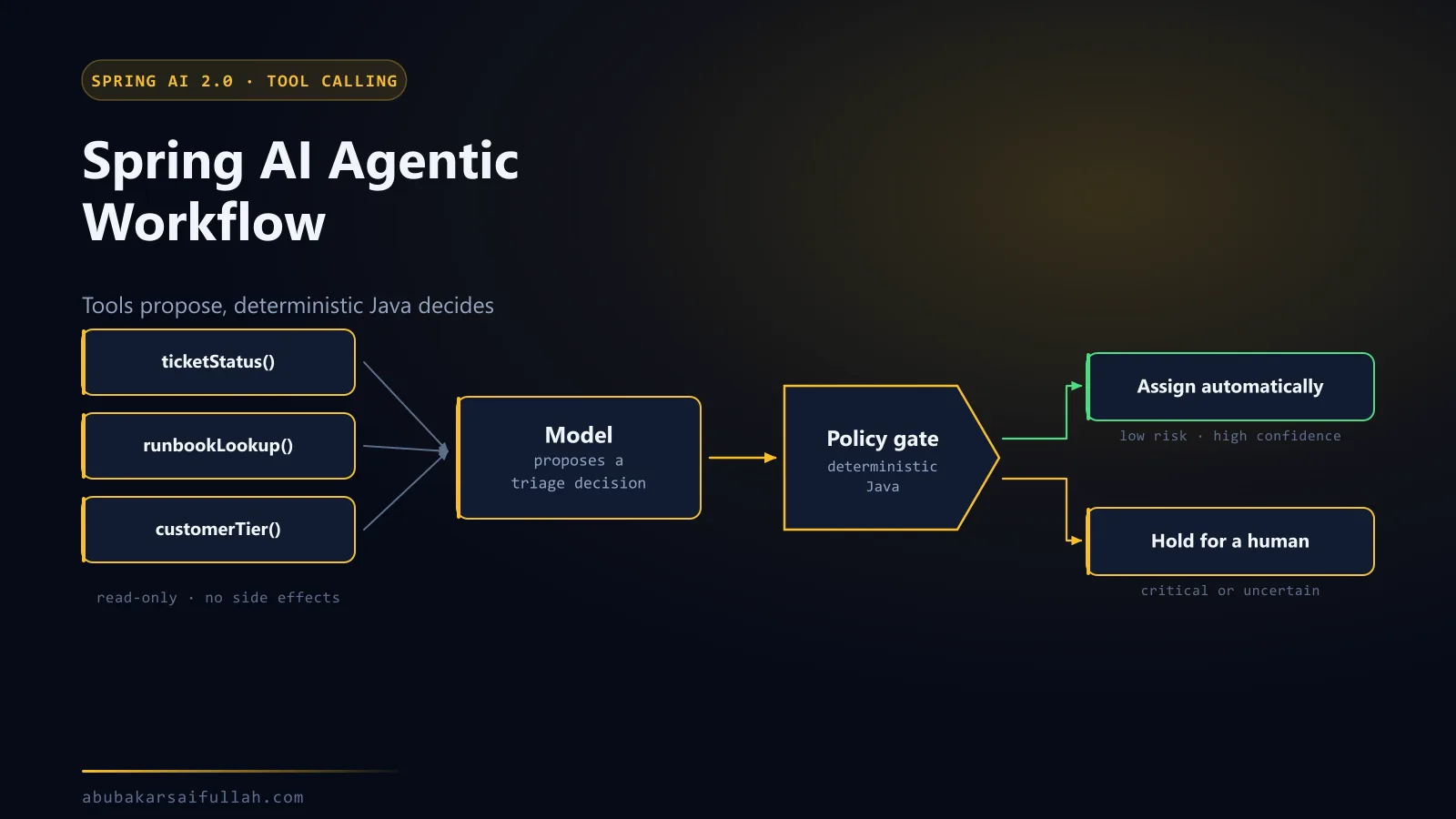
The agentic ticket-triage guide shows local tools within one process. This MCP guide moves the capability behind a protocol boundary so other authorised clients can reuse it.
Conclusion
Spring AI removes much of the protocol wiring for a Java MCP server and client, but the critical engineering decisions remain yours. Keep tools narrow, separate read and write capabilities, authenticate the transport, authorise every operation, return minimal data, and test the domain service independently of the model. MCP then becomes a maintainable integration boundary rather than a broad remote-control surface.
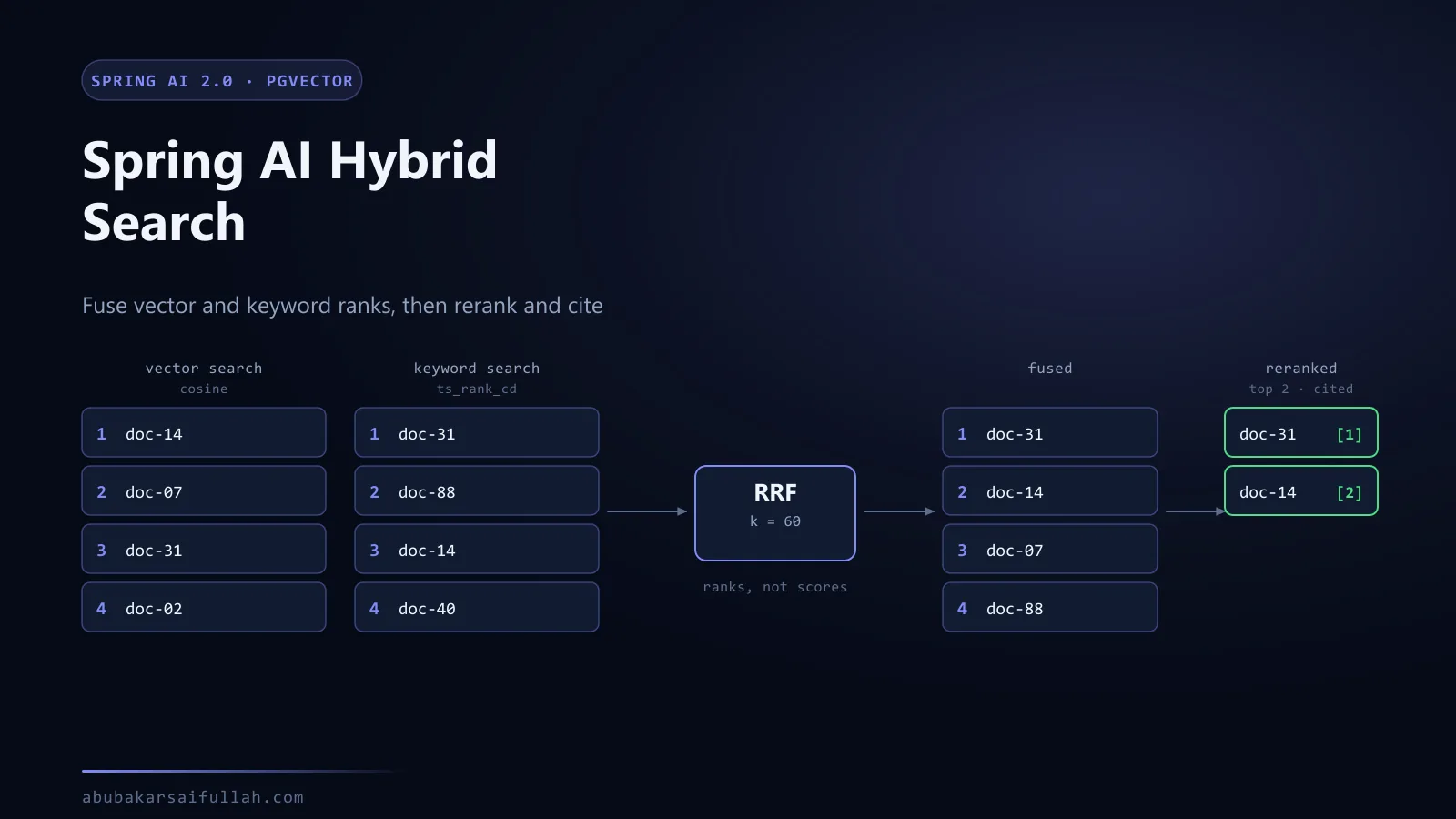
If you are earlier in that progression, the Spring AI agentic workflow covers local @Tool methods and the deterministic policy gate that belongs alongside them — the same guardrail logic applies here, on the server side of the boundary. For a capability worth exposing, hybrid search and reranking is a strong candidate: retrieval is expensive to build well and valuable to share. And when a tool call runs long enough to threaten a client timeout, asynchronous processing with Spring AI and Kafka is the pattern that keeps it from blocking a request thread.
Frequently asked questions
Should I use STDIO or Streamable HTTP for an MCP server?
STDIO when the server only ever runs on one developer's machine as a subprocess of one client: no port, no authentication, minimal setup. Streamable HTTP when several clients need the capability or it has to be deployed. The switch is not just configuration — HTTP means you now own authentication, authorisation, transport security, and rate limiting that the process boundary was handling implicitly.
How do I secure an MCP server?
Treat it as an ordinary internet-facing service, then add the model-specific concerns. Authenticate the transport, authorise each tool independently rather than granting blanket access to an authenticated caller, validate every argument, return the minimum fields the caller needs, log who invoked what, and rate-limit. Expose narrow operations instead of generic SQL, shell, or HTTP passthrough tools — a generic tool is an authorisation bypass with extra steps.
What is the confused-deputy problem with MCP?
The server acts on behalf of a model that is itself acting on text from an untrusted source. If the server authorises by "the client is authenticated" rather than "this caller may perform this operation on this record", content that reaches the model can steer it into calling a tool the end user was never entitled to invoke. The server, not the model, has to enforce the boundary.
Can I use MCP with a local Ollama model?
Yes. Only the client talks to a model, so run it with --spring.profiles.active=ollama; the server needs no key and no change at all. The model must support tool calling, since that is how it reaches MCP — llama3.1 does. Expect to raise the client's request timeout, because local inference adds latency both before the tool call and after the result returns.
Should I use MCP instead of a REST API?
They answer different questions. REST is a contract between applications that already know each other. MCP adds runtime discovery so a model can find out what exists and how to call it. Most systems keep REST or messaging as the internal contract and put a narrow MCP adapter in front for AI clients — the adapter is where you decide what a model is allowed to see.
Why does the model never call my tool?
Test the server directly with a tools/list request first. If the tool is listed and callable there, the server is fine and the problem is either that the model does not support tool calling or that the tool's description does not connect to the question. Descriptions are prompt text, not documentation, so write them for the model.